
TurboCAD Training Exercises
£32.00–£42.00
TurboCAD Training Exercises
Please note – These exercises will only be delivered as a download while the present heath crises exists.
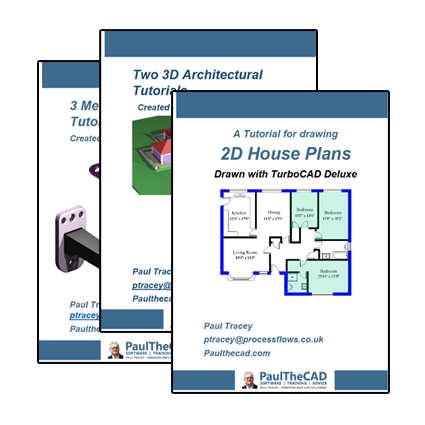
Three TurboCAD training guides for 2D and 3D CAD – Each delivered as a set of videos and a pdf file. UK customers also receive a printed version of the pdf. If you are not in the UK and wish to purchase a printed version of the excercise(s), please contact me.
Buy Now:
Product Description
These exercises are for the PC version of TurboCAD, not the Mac versions.
Please note – These exercises will only be delivered as a download while the present heath crises exists.
Three Mechanical Engineering Tutorials with TurboCAD Pro Platinum
While each of these three assemblies uses many of the same 2D and 3D tools, each will make use of tools not used in the other models so that by going thought all three the reader will gain a good understanding of how to create these and other 3D assemblies.
There are often various methods for creating assemblies and in the films I’ll try and explain some of these variations and reasons for my choices of tools and methods. Some will be initially drawn in 2D then extruded, others drawn directly in 3D.
For the rendering I have used a combination of materials and colours. While the colours do not show a reflection, they will still cast a shadow and I find them just as effective in creating these types of images.
Please note – These exercises will only be delivered as a download while the present heath crises exists.
Two 3D Architectural Tutorials with TurboCAD Pro Platinum
I’ve used an architectural template for each of these projects and shown measurements in both Imperial and Metric units. Dimensions can be displayed as either, or both and single objects or the whole drawing can be translated from one to the other.
In the Victorian Building I have created a building with one solid wall and in the Museum project I have used a cavity wall. Both can be used in the same drawing and different styles of walls can be saved within a drawing.
Both projects include creating some 3D objects from the general 3D pallet of tools, so the tutorials will teach general 3D drawing as well as the architectural tools. These are used to draw guttering, steps, low walls and signs.
Both tutorials show how to create doors and windows and store them within the drawing, so that more can be easily added and existing ones edited.
Roofs will be constructed, edited and cut into.
Not all the architectural tools are used, but all the ones necessary to draw a building are.
Please note – These exercises will only be delivered as a download while the present heath crises exists.
Drawing 2D House Plans with TurboCAD Deluxe
All the tools and symbols used in this tutorial can be found in all versions of TurboCAD.
The tutorial is for those wishing to draw detailed house plans for planning permission, for estate agents needing to show house layouts or builders planning house extensions and similar projects.
TurboCAD can import existing CAD drawings from architects or other sources to be edited and saved in over 20 file formats, including PDF. Because of this it’s possible to send drawings to any customer or interested party.

FREE Support with Every Product Purchase
 Buy from this site and I'll provide unlimited telephone and email support!
Need a website?

PaulTheCAD (and my other sites) was built and is maintained by Tim at Clever Digital Stuff. I've been working with Tim for over 10 years, he really knows his stuff. If you need a site or just some advice about anything digital, take a look at cleverdigitalstuff.com and give Tim a call - Tell him I sent you and you'll get a discount.